
CAN Bus Engineering Tools
Simulate traffic, calculate bus load, decode J1939, and isolate faults — the tools engineers actually need when working with CAN.
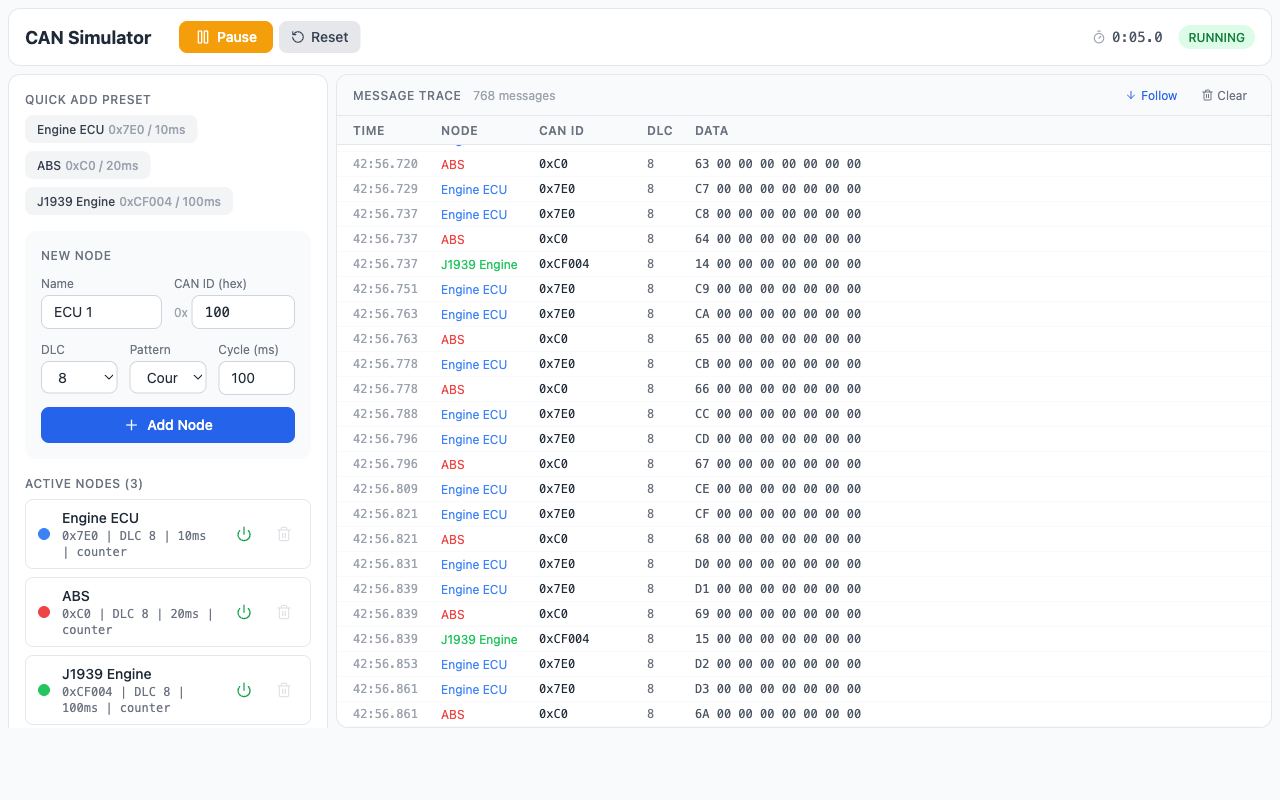
CAN Simulator
Simulate virtual CAN bus traffic in your browser. Define ECU nodes, set message timing, and watch live bus activity.
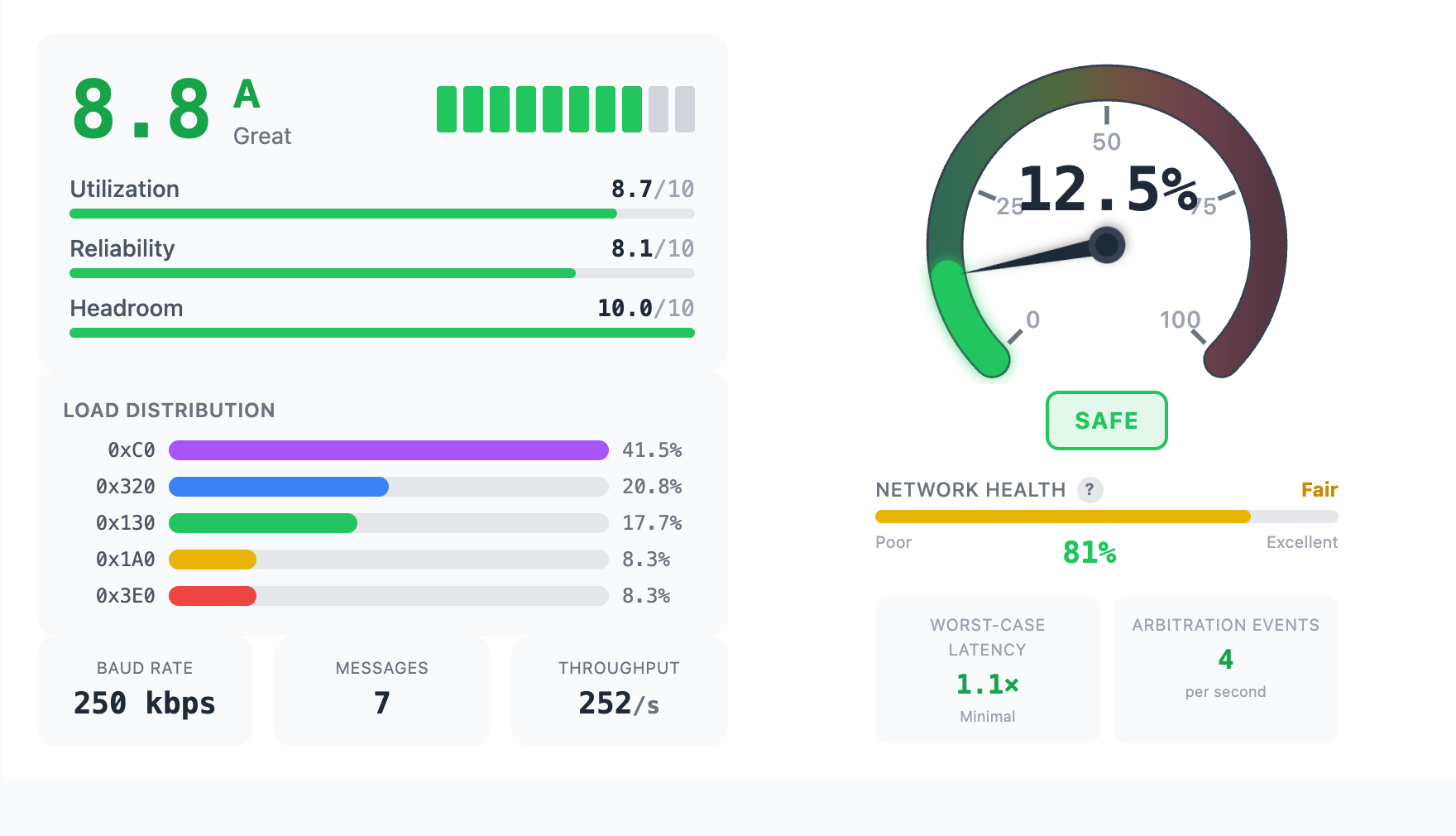
Bus Load Calculator
Calculate bus utilization, worst-case message latency, and network health scoring for standard and extended CAN frames.
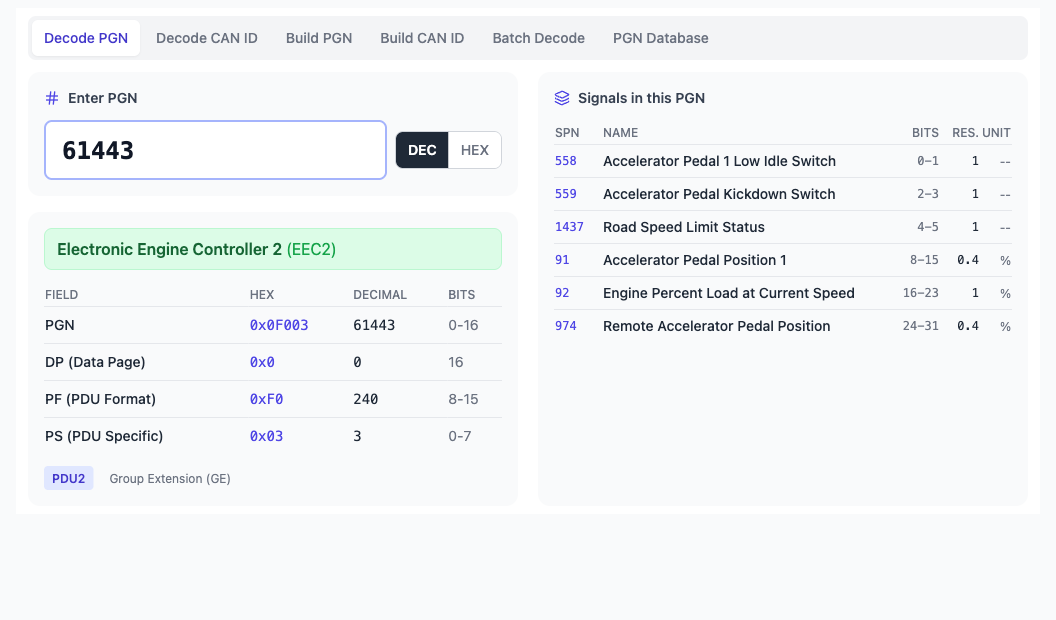
J1939 PGN Decoder
Decode and convert J1939 PGNs from 29-bit CAN IDs. Look up parameter group definitions, SPN scaling factors, and rates.
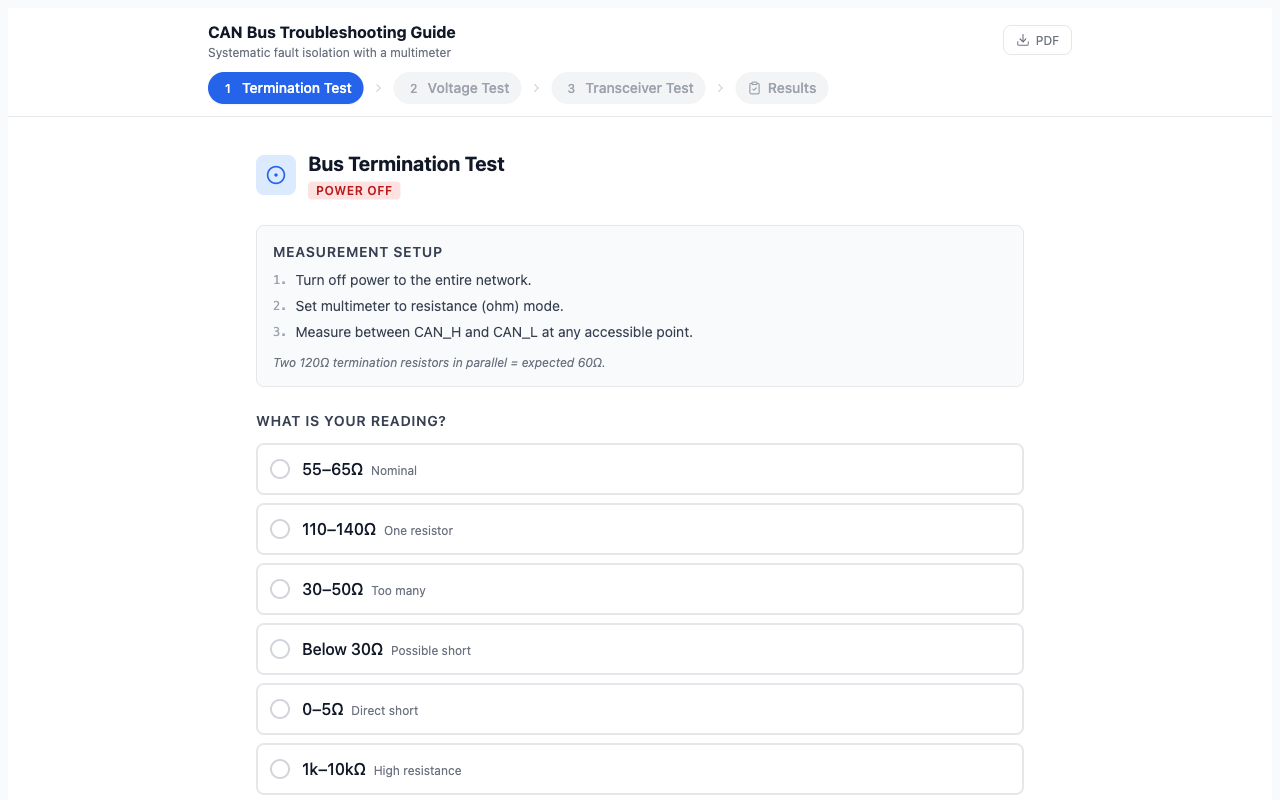
CAN Troubleshooting Guide
Step-by-step multimeter tests for termination resistance, CAN_H/CAN_L voltage levels, and node transceiver checks.
Design & Simulate
Design CAN bus networks, calculate cable lengths, and simulate topologies before committing to hardware.
Topology Designer PRO
Design and simulate CAN bus topologies with interactive diagrams
Signal Maps PRO
Create and edit CAN database files (DBC) for signal decoding
Bus Load Calculator
Calculate bus utilization from message rates and frame sizes
Cable Calc PRO
Calculate max cable length based on baud rate, node count, and bus load
CAN Simulator
Simulate virtual ECU nodes transmitting on a CAN bus
Analyze & Decode
Decode J1939 PGNs, isolate faults with AI diagnostics, and manage your CAN bus data.
Learn & Reference
Interactive protocol animations and step-by-step diagnostic guides for CAN bus fundamentals.
Troubleshooting Guide
Systematic fault isolation — multimeter tests, voltage levels, termination checks
Arbitration
Step-by-step animation showing how CAN arbitration works
Bit Timing
Visualize CAN bit timing segments: Sync, Prop, Phase1, Phase2
Error States
Interactive ISO 11898 error state machine diagram
Built by CAN Bus Engineers
Every tool on this page comes from real problems — validating bus load on a new ECU design, decoding PGNs from a J1939 trace, or isolating a dead bus with a multimeter. We built what we needed and couldn’t find.
CAN Bus Academy was founded by Igor Ramos, a CAN bus specialist with 10+ years at Caterpillar as a Technical Leader in embedded diagnostics. He holds 8 CAN-specific patents in fault detection, bus monitoring, and diagnostic protocol design.
The tools cover automotive, heavy-duty (J1939), and industrial CAN networks. They’re designed to give you answers in minutes, not hours of reading spec sheets or wrestling with expensive desktop software.
Free to Start, Pro When You Need It
Every tool works immediately — no signup wall, no credit card. Free tools like the Bus Load Calculator, PGN Calculator, and all Learn & Reference tools are fully functional without an account.
Pro unlocks the full feature set across design and analysis tools: unlimited AI diagnostics with Bus Doctor, complete J1939 PGN database, batch decoding, topology design, cable calculations, signal mapping, data management, and export across all tools.
Frequently Asked Questions
What CAN bus tools are available online?
CAN Bus Academy offers 13 browser-based tools organized into three categories: Design & Simulate (Topology Designer, Signal Maps, Bus Load Calculator, Cable Calc, CAN Simulator), Analyze & Decode (Bus Doctor AI, Decoder, PGN Calculator, Data Manager), and Learn & Reference (Troubleshooting Guide, Arbitration, Bit Timing, Error States). All tools run in your browser with no installation required.
How do I calculate CAN bus load?
Use the Bus Load Calculator. Enter your bus speed, then add each message with its CAN ID, data length, and transmission rate. The calculator shows total bus utilization percentage, worst-case message latency, and a network health score. It supports both standard (11-bit) and extended (29-bit) CAN frames.
How do I decode J1939 PGNs?
Open the PGN Calculator and enter a 29-bit CAN ID or PGN number. The tool extracts the PGN, source address, and priority, then looks up the parameter group definition including all SPNs, their scaling factors, units, and transmission rates. For batch decoding of log files, the Decoder (Pro) handles OBD-II and J1939 messages from uploaded CAN traces.
What is CAN bus arbitration?
CAN bus arbitration is the process that determines which node gets to transmit when multiple nodes try to send at the same time. Each node monitors the bus while transmitting its identifier bits. A node sending a recessive bit (1) that reads back a dominant bit (0) loses arbitration and stops transmitting. The Arbitration animation shows this process step by step with two competing nodes.
Do I need to create an account to use these tools?
No. Free tools like the Bus Load Calculator, PGN Calculator, CAN Simulator, Troubleshooting Guide, and all Learn & Reference tools work without an account. You only need an account to access Pro features like Bus Doctor AI, the full Decoder, Topology Designer, Signal Maps, Cable Calc, and Data Manager.
Go Deeper with CAN Bus Training
Tools get you answers. Training makes you the person who doesn’t need the tools. Our CAN bus courses cover protocol fundamentals, physical-layer diagnostics, and J1939 application-layer analysis.