
CAN Bus Simulator
Build a virtual CAN network, define ECU nodes with real message IDs and timing, and watch bus traffic flow. Test ideas before touching hardware.
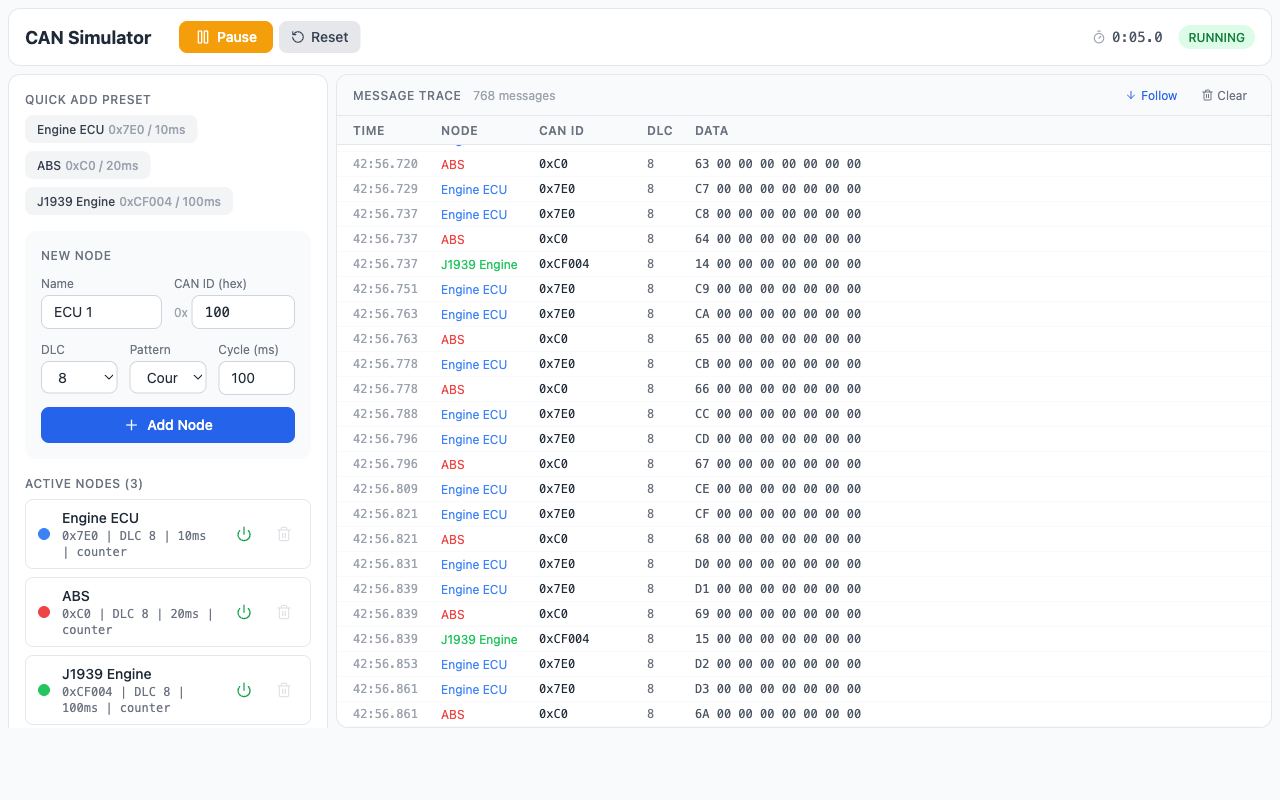
What You Can Do
Virtual ECU Nodes
Create up to 3 nodes (free) or unlimited (Pro) with configurable CAN IDs, DLCs, data patterns, and cycle times.
Live Message Trace
Real-time scrolling log of all frames on the simulated bus, color-coded by node with auto-follow and pause.
Bus Load Monitoring
Utilization gauge updates live as you add or remove nodes. See exactly how much bus capacity you’re using.
Preset Templates
Engine ECU (0x7E0), ABS (0x0C0), J1939 Engine Controller (0x0CF004) — one click to add.
Coming Next
Fault Injection
Introduce physical-layer faults and see their effect on message delivery and CAN_H/CAN_L waveforms.
Signal Decode Overlay
DBC-like signal extraction on raw frames — see human-readable values as messages flow.
Scenario Presets
J1939 truck network, passenger car OBD-II, and CANopen industrial — pre-built networks to explore.
Hardware Bridge
Mix real CAN traffic with virtual nodes via USB-CAN adapter using WebSerial.
Frequently Asked Questions
What is a CAN bus simulator?
A CAN bus simulator generates virtual Controller Area Network traffic so you can test, learn, and validate CAN communication without physical hardware. You define ECU nodes and message parameters, and the simulator produces CAN frames on a virtual bus — letting you observe arbitration, bus load, timing, and error behavior in a controlled environment.
Can I simulate CAN bus without hardware?
Yes. The simulator generates virtual traffic — no CAN adapter or driver needed. For engineers who also work with real hardware, our upcoming hardware bridge mode will let you mix virtual and physical CAN traffic on the same bus.
What’s the difference between a CAN simulator and a CAN analyzer?
A CAN simulator generates traffic — you define what messages are sent and observe how the bus behaves. A CAN analyzer captures traffic from a live bus and lets you decode and inspect it. Simulators are used for testing and learning; analyzers are used for diagnostics and reverse engineering.
Is there a free CAN bus simulator?
Yes. The CAN Simulator includes a free tier with up to 3 virtual ECU nodes and 30-second capture windows. Pro unlocks unlimited nodes, longer captures, and advanced features like signal decode and fault injection.
What CAN protocols can I simulate?
Standard CAN (11-bit identifiers) and extended CAN (29-bit identifiers), covering Classical CAN 2.0A and 2.0B. This includes application-layer protocols built on CAN such as SAE J1939, CANopen, and OBD-II.
Start Simulating CAN Bus Now
Add nodes, set timing, hit Start. See exactly how your network behaves before you build it.
Want to go deeper? Our CAN bus courses cover protocol theory, physical-layer diagnostics, and hands-on troubleshooting.